
Host Your Own Event on Naughtify.in
Want to create your own event and invite the Naughtify community? Just follow these simple steps below to get started!
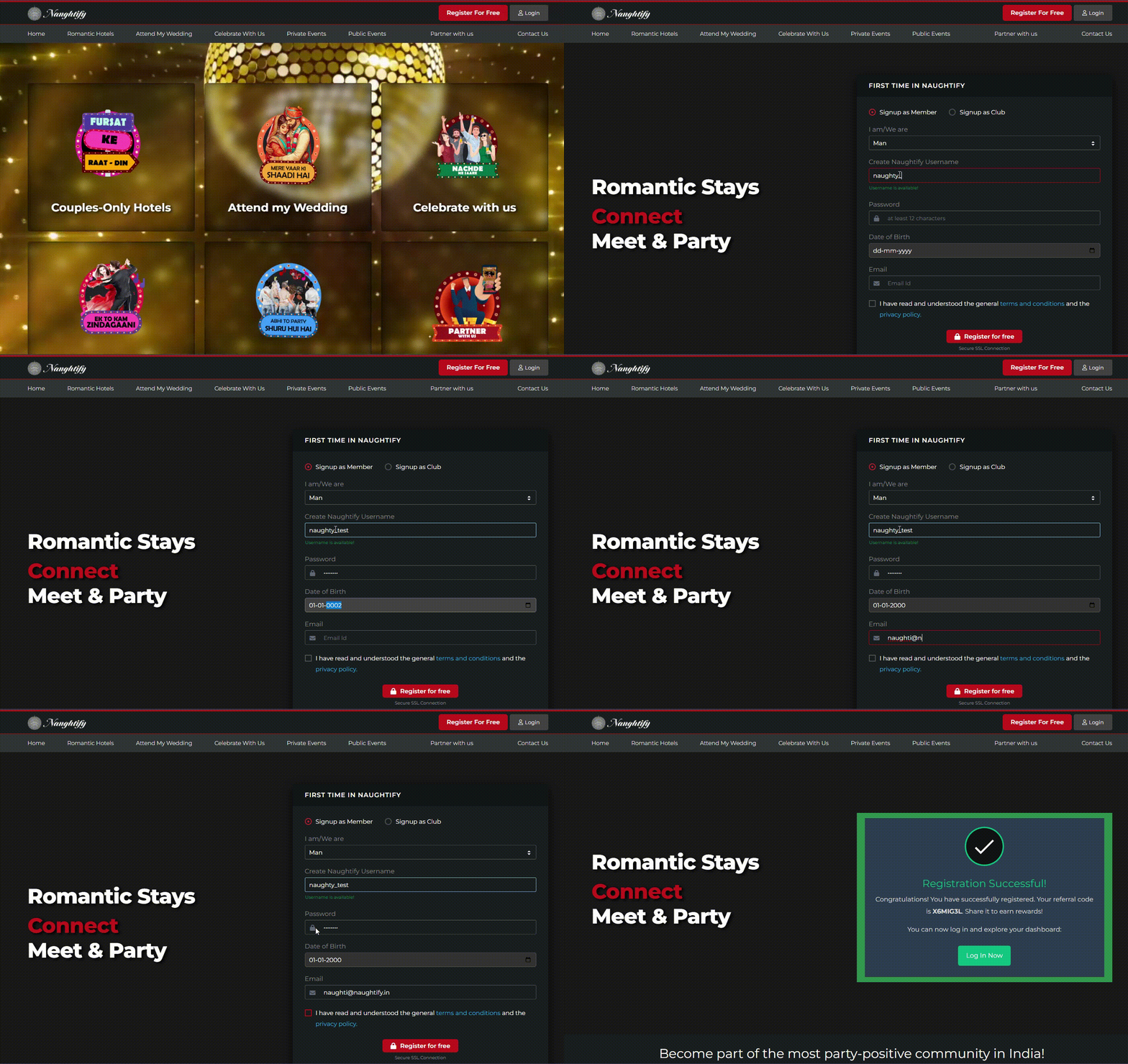
Step 1: Sign Up for Free
Go to the Sign Up Page and fill in the required information:
- Signup as Member / Club
- Member Status (Male / Female / Couple)
- Username
- Create Password
- Date of Birth
- Email Address
Click “Register” and your account will be created instantly.
Step 2: Verify Your Email Address
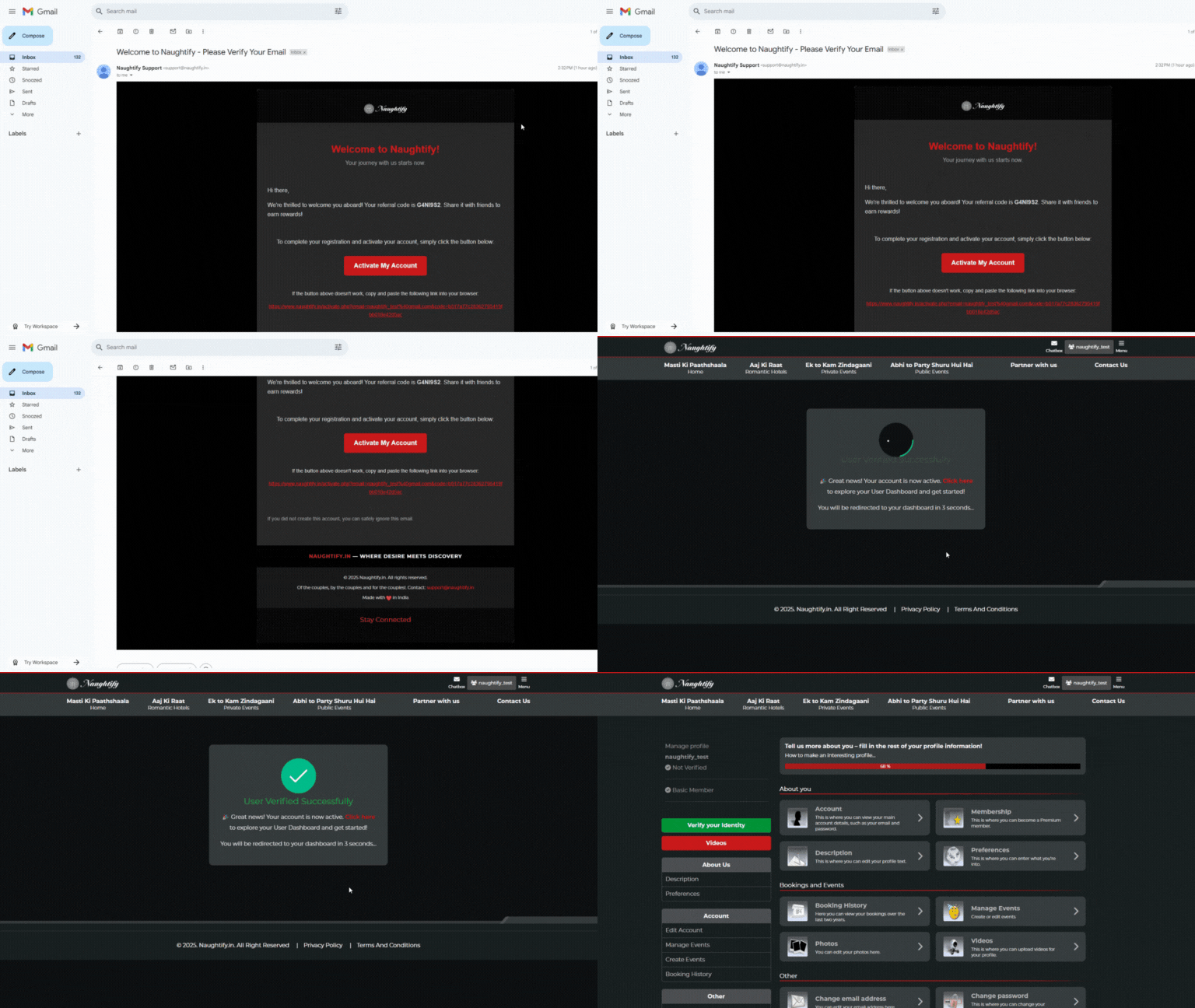
Once you’ve signed up, an email verification link will be sent to the email address you provided.
Check your inbox (and spam folder, just in case) for a mail titled "Welcome to Naughtify – Please Verify Your Email".
Click the verification link inside the email to activate your account. This step helps us keep the platform secure and spam-free.
Step 3: Log Into Your Profile
After verifying your email, head back to the Login Page and sign in using your email and password.
Once logged in, you’ll land on your User Dashboard – your personal space on Naughtify to manage your profile and events.
Step 4: Complete Your Profile
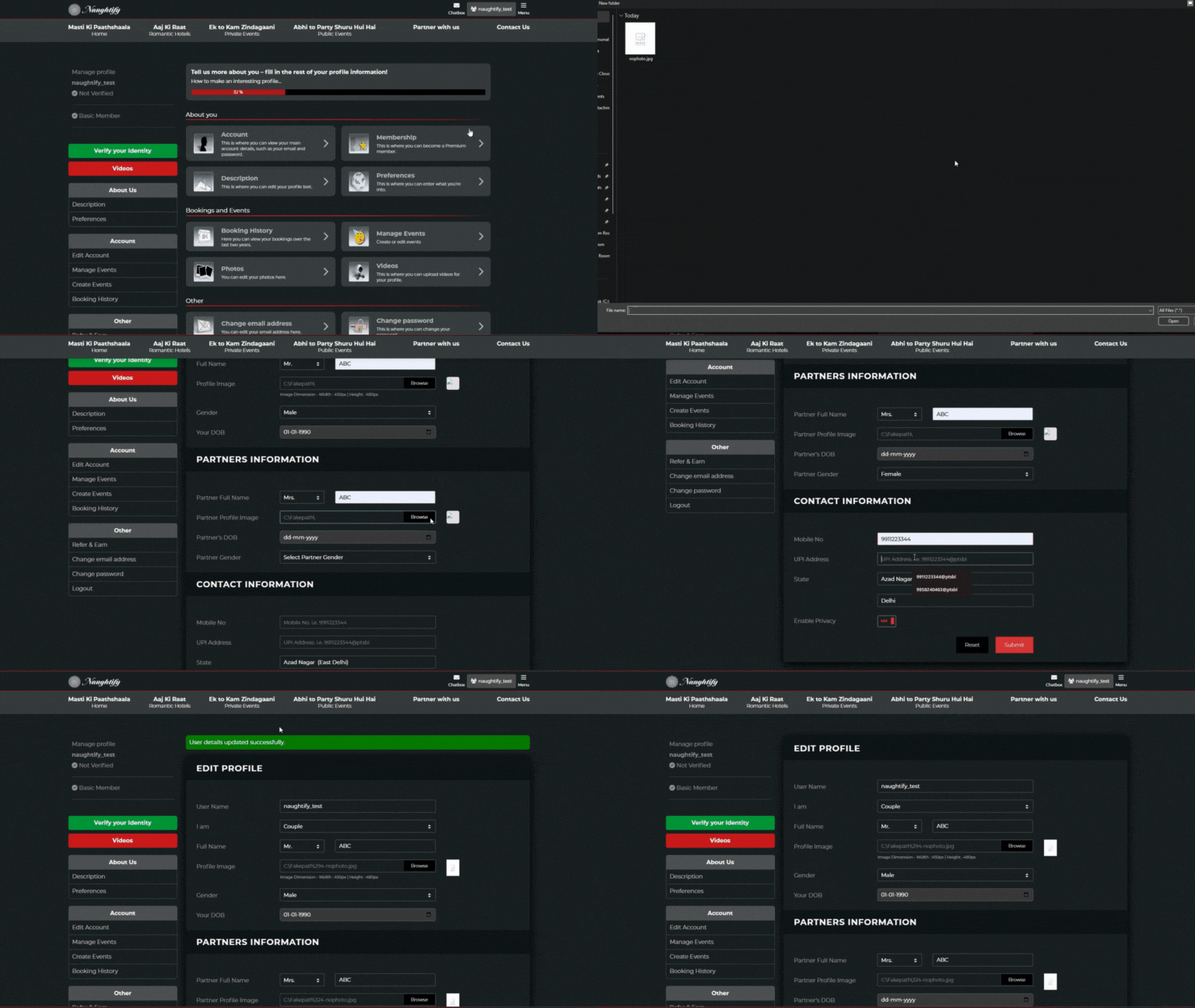
Before you can create an event, you need to complete your profile. This helps us ensure quality and trust among event creators.
Fill in details such as:
- Profile picture
- Full Name
- Gender
- Location
- Contact info
- Short bio or introduction
- UPI details (for recieving payment from event guests)
Completing your profile builds credibility and makes your event listing more trustworthy to attendees.
Step 5: Create Your Event
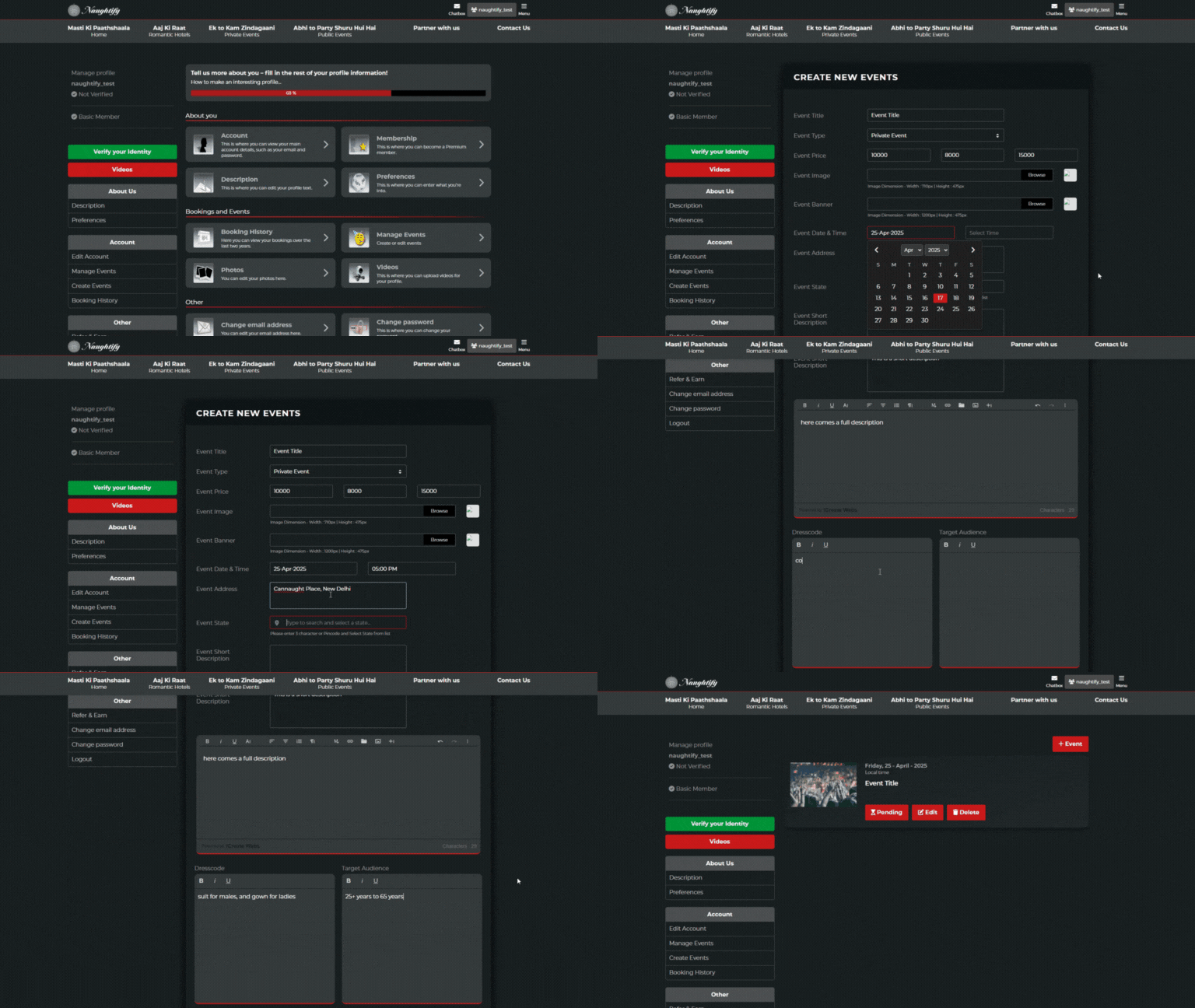
Once your profile is complete, you’ll be able to access the “Create New Event” section.
Here’s what to do:
- Click on “Create Event” from your dashboard menu.
- Fill out the event form:
- Event Title – A catchy and clear name.
- Event Type – Choose from categories (e.g., Private Party, Workshop, Pool Party, etc.).
- Event Prices – Set separate prices for male, female, and couples if needed.
- Upload Images – Add an attractive event image and a banner.
- Event Date & Time – Select the correct day and time for the event.
- Event Address – Provide accurate location details.
- State/Region – Type and select your state/region from options.
- Short Description – Describe the event, theme, vibe, and any requirements or dress codes.
Make sure your images are clear and high-quality — visuals matter!
Use this section to build hype and trust with potential attendees.
Step 6: Submit for Approval
After filling in all the details, click Submit to send your event for review.
Your event will not be visible to the public until it is approved by the Naughtify Admin team.
Review usually takes up to 24–48 hours. You’ll get an email once your event is approved and published.
Once Approved…
Your event will be listed on the Naughtify platform and visible to thousands of potential attendees. You’ll be able to:
- Manage guest lists
- Edit event info (if needed)
- Promote your event via your own links or social sharing
Tips for a Successful Event Listing:
- Use a clear, catchy title.
- Add engaging images that reflect the event vibe.
- Be honest and clear in the description.
- Double-check the date/time and location.
- Make sure pricing is competitive and easy to understand.